
images.UnsharpMask
Returns an image filter that sharpens an image.
- Syntax
- images.UnsharpMask SIGMA AMOUNT THRESHOLD
- Returns
- images.filter
Usage
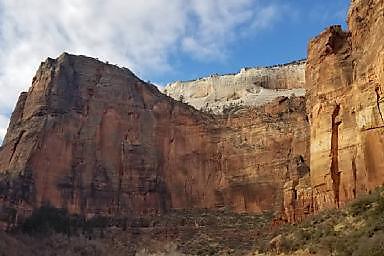
The images.UnsharpMask function returns an image filter that sharpens an image. The filter compares each pixel with a blurred copy of the image, then increases the difference between them. This makes the light side of each edge lighter and the dark side darker.
Arguments
SIGMA- (
float) The size of the detail to sharpen, in pixels. The filter creates the blurred copy by blending each pixel with neighboring pixels up to three times this distance away. Use a small value, such as1, to sharpen fine detail, and a larger value to sharpen broader edges. A value of0or less has no effect. AMOUNT- (
float) The strength of the sharpening, as a multiple of the difference between each pixel and the blurred copy. A value of1doubles the difference, and a value of0has no effect. Typical values are in the range[0.5, 1.5]. THRESHOLD- (
float) The minimum difference in brightness between a pixel and the blurred copy that the filter sharpens, on a scale from0to1. Use a value greater than0to avoid sharpening noise in smooth areas, such as the sky. A value of0sharpens every pixel. Typical values are in the range[0, 0.05].
Examples
{{ $filter := images.UnsharpMask 1 1 0.03 }}Applying the filter with the images.Filter function:
{{ with resources.Get "images/original.jpg" }}
  {{ with . | images.Filter $filter }}
    <img src="{{ .RelPermalink }}" width="{{ .Width }}" height="{{ .Height }}" alt="">
  {{ end }}
{{ end }}
Applying the filter with the Filter method on a Resource object:
{{ with resources.Get "images/original.jpg" }}
  {{ with .Filter $filter }}
    <img src="{{ .RelPermalink }}" width="{{ .Width }}" height="{{ .Height }}" alt="">
  {{ end }}
{{ end }}
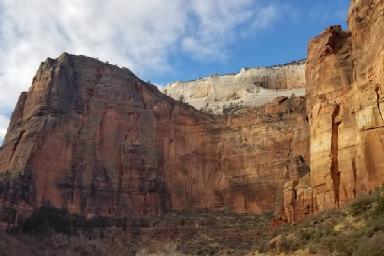
This is the original image:
This is the processed image:
Last updated:
November 17, 2026
:
content: Apply style guide to images functions (e302e964f)
Improve this page